Drop in a PDF, choose the pages, download. Take out a range like pages 3–7, cut it into several parts, or save every page as its own file. Nothing is uploaded: it all happens in this browser tab.
Three ways to split
- Page range — pick "from page 3 to page 7" and get one PDF with just those pages.
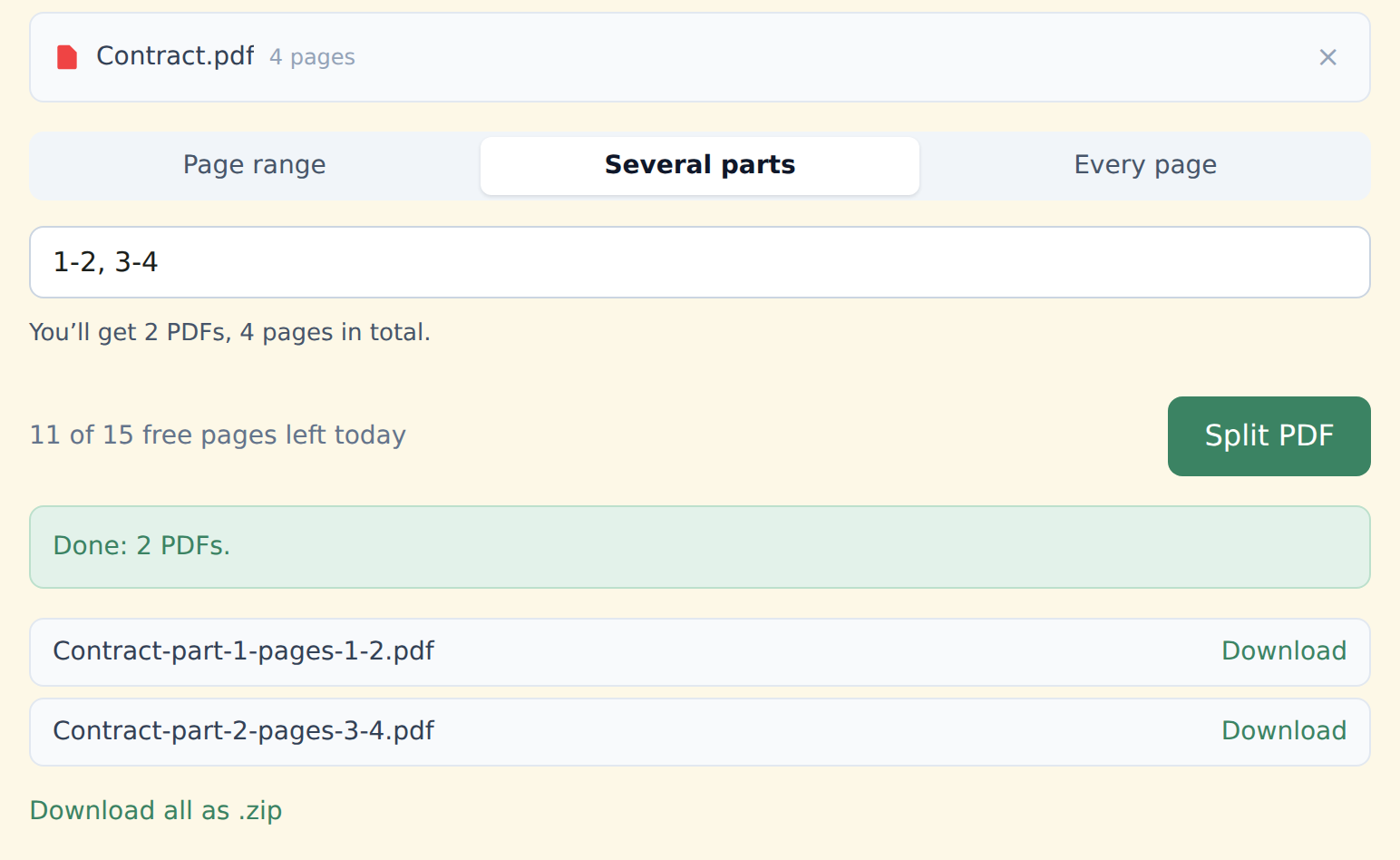
- Several parts — type 1-3, 4-8, 10 and each part becomes its own PDF. "8-" means from page 8 to the end.
- Every page — each page as a separate file, one by one or all together in a .zip.
How to split a PDF
Drop your PDF into the box above, or click "Select from device".
Choose how to split — a page range, several parts or every page. You'll see what you'll get before you click.
Click "Split PDF" and download your files, one by one or as a .zip.
When it's useful
- You need to send just the signature pages of a contract, or one invoice from a batch.
- You scanned a stack of paper into one long PDF and want it back as separate documents.
- You want to drop or reorder pages: split into parts, then merge only the ones you need.
Upload your whole document to a server, split it there and send the pages back.
Splits the file inside your browser. Your document never leaves your device — useful when it's a contract, a statement or a scanned ID.
Free and Premium
15 pages a day
- Every tool except OCR — merge, split, organize, compress, redact, sign, edit, page numbers, protect, convert (incl. PDF to Word and JPG), extract text
- No watermark, no account, no email
- Counted across all tools; the count resets every day
$9/month
- No page limit on any tool
- OCR: make scanned PDFs searchable, 39 languages
- Your signature saved on this device (never uploaded), and your signature or initials on every page in one click
- Number a whole set of files in one go — plain or Bates, with an index
- One-click form filling with your saved details — name, address, email
- Or $69/year · $149 once, for life
Free or Premium, the tools work the same way: your files never leave your device.
On the free plan only the pages you take out count: pulling pages 3–7 out of a 100-page file uses 5 of your 15 pages.