No watermark on the free plan. No watermark on Premium. There's nothing to unlock: your pages come out exactly as they went in, merged in your browser, never uploaded.
Why "no watermark" needs saying
Plenty of "free" PDF tools let you merge for free, then stamp their logo across every page. Others only tell you after you've uploaded your files that a clean copy costs money.
StayPutPDF doesn't add anything. The merged file is your original pages, recombined — no logo, no footer, no "made with" line.
Upload your files, merge on their server, then add branding — or ask you to pay to remove it.
Nothing added, ever. The merge runs in your browser, so the file never touches a server at all.
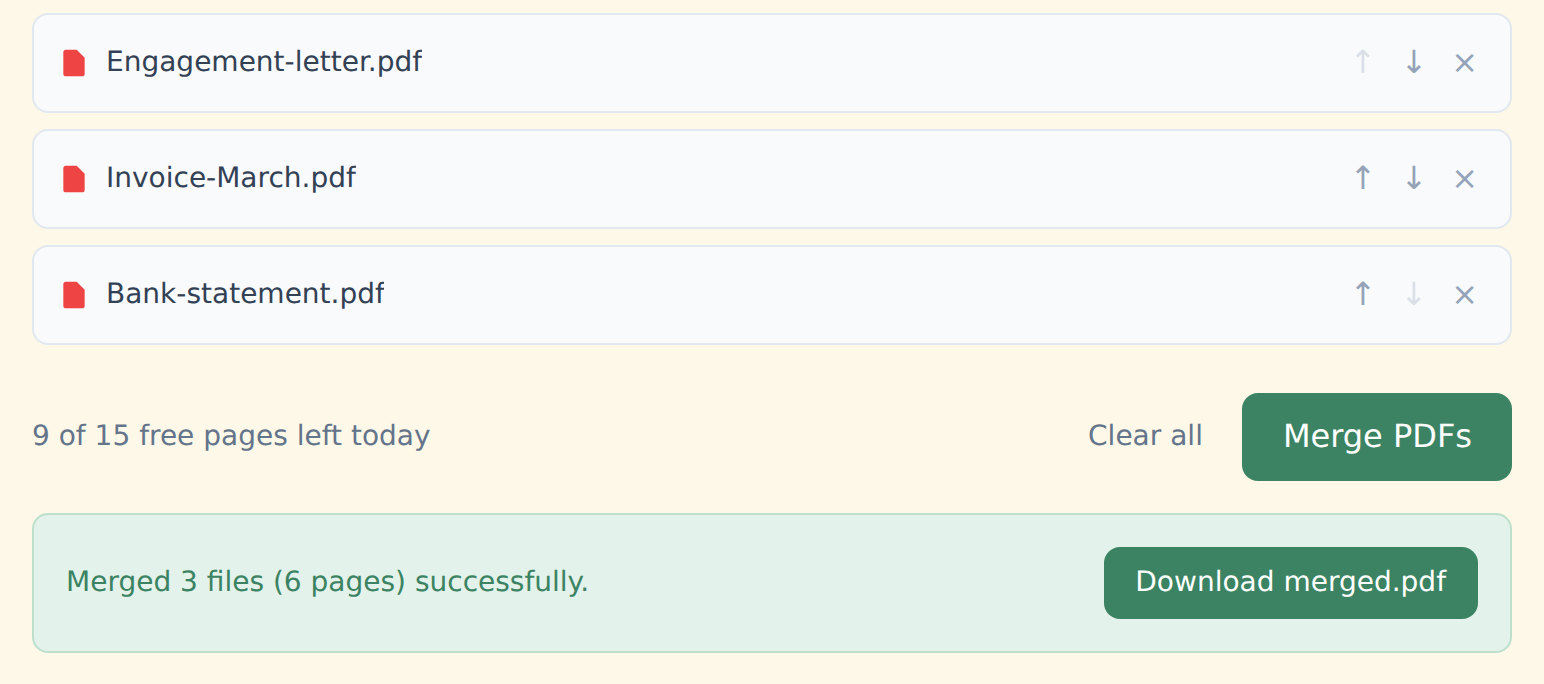
How to merge without a watermark
Drop your PDFs into the box above. They're read straight from your device.
Put them in order with the ↑ ↓ arrows.
Click "Merge PDFs" and download merged.pdf — clean, with nothing added.
Why there's nothing to unlock
The merge runs locally with an open-source library (pdf-lib), inside your browser tab. There's no server step where a logo could be added — and no reason to hold a clean file back as a paid feature.
Premium exists for more pages and extra tools, not for removing branding.
Free and Premium
15 pages a day
- Every tool except OCR — merge, split, organize, compress, redact, sign, edit, page numbers, protect, convert (incl. PDF to Word and JPG), extract text
- No watermark, no account, no email
- Counted across all tools; the count resets every day
$9/month
- No page limit on any tool
- OCR: make scanned PDFs searchable, 39 languages
- Your signature saved on this device (never uploaded), and your signature or initials on every page in one click
- Number a whole set of files in one go — plain or Bates, with an index
- One-click form filling with your saved details — name, address, email
- Or $69/year · $149 once, for life
Free or Premium, the tools work the same way: your files never leave your device.
Need more than merging?
The same no-upload, no-watermark rule applies to every tool:
Who this is for
Anyone merging something they wouldn't want on a stranger's server — a client contract, a patient record, a set of financial statements. No upload means no server log and no "we delete files after 1 hour" promise to trust.