Most online PDF mergers copy your files to their server first. StayPutPDF skips that step: the merge happens in your browser, and your files never leave your device.
What "uploading" actually means
When a website "merges your PDFs", it usually sends your files to a computer it controls, combines them there and sends the result back. Most promise to delete them "within an hour" — but for that hour, your documents sit on someone else's server.
For a birthday invite, that's fine. For a contract, a medical record or a bank statement, it's exactly the step you want to avoid.
Uploads your files, merges them on a server, sends the result back — and asks you to trust its deletion policy.
No upload at all. Your browser reads the files from your disk, merges them in memory and hands you the result.
Step by step
Drop your PDFs into the box above, or click "Select from device".
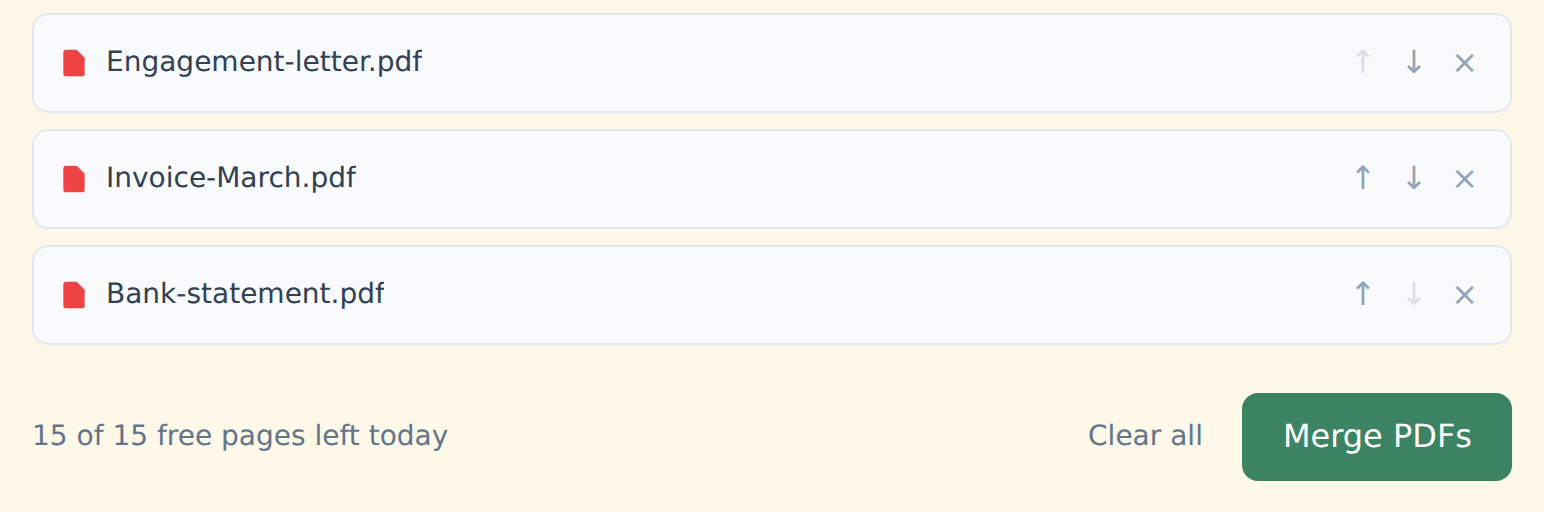
Put them in order with the ↑ ↓ arrows. Remove one with ×.
Click "Merge PDFs" and download merged.pdf. No watermark, on any plan.
How it works without a server
The merge runs with an open-source library (pdf-lib) inside this browser tab. It's not a "private mode" you switch on — it's the only way the tool works, free or Premium.
It even works offline once the page has loaded. Here's how to check it yourself in about a minute.
Who this matters for
- Lawyers — exhibits and privileged files. Guide for lawyers
- Healthcare — charts, lab results, referrals. Guide for healthcare
- Accountants — statements, invoices, tax forms. Guide for accountants
- Anyone under an NDA — or who'd rather not hand a stranger their documents.
Free and Premium
15 pages a day
- Every tool except OCR — merge, split, organize, compress, redact, sign, edit, page numbers, protect, convert (incl. PDF to Word and JPG), extract text
- No watermark, no account, no email
- Counted across all tools; the count resets every day
$9/month
- No page limit on any tool
- OCR: make scanned PDFs searchable, 39 languages
- Your signature saved on this device (never uploaded), and your signature or initials on every page in one click
- Number a whole set of files in one go — plain or Bates, with an index
- One-click form filling with your saved details — name, address, email
- Or $69/year · $149 once, for life
Free or Premium, the tools work the same way: your files never leave your device.