Draw black boxes, or let StayPutPDF find names and numbers for you, then apply. The covered text is removed from the file, not hidden under a shape — and your document never leaves this browser tab.
How to redact a PDF
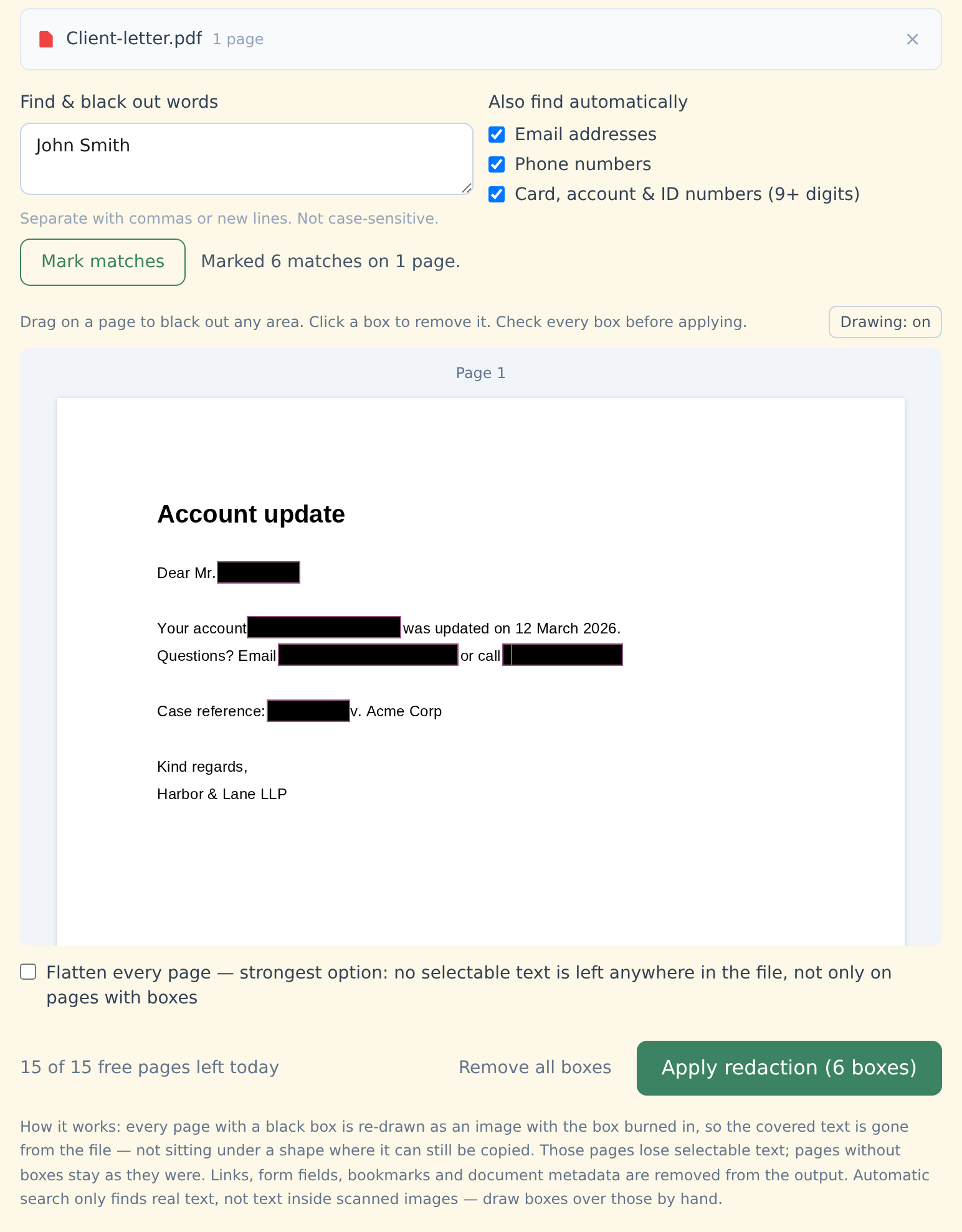
Drop your PDF into the box above. Its pages appear as previews.
Mark what to hide — two ways, use both:
• Drag on a page to draw a black box over anything
• Type words or names and click Mark matches. It can also find email addresses, phone numbers and card, account or ID numbers on every page at once.Check the boxes. Click any box to remove it.
Click "Apply redaction" and download. Before you get the file, StayPutPDF re-opens it and runs an automatic check that no text is left on the redacted pages.
Why a black box usually isn't enough
Sits on top of the page. The text underneath is still in the file — anyone can select it, copy it or search for it. This is how "redacted" details keep leaking.
Re-draws every page with a box as an image with the black area burned in. The original text of those pages isn't copied into the new file, so there's no text layer under the box to select, copy or search.
Why it matters that nothing is uploaded
You redact a document because it holds something that shouldn't be seen. Sending the unredacted original to an online service first defeats the purpose.
StayPutPDF does everything — reading, searching, re-drawing and checking — inside your browser tab. Here's how to check that yourself.
Good to know before you share the result
- Also removed: links, form fields, bookmarks and metadata such as author and title — they can carry names too. See everything a PDF can hide.
- Redacted pages become images, so their text can't be selected any more. Pages without boxes keep their text. Want no selectable text anywhere? Tick Flatten every page.
- Scanned document? Automatic search only finds real text. Draw boxes by hand — or run OCR (Premium) first so the search can find names in the scan.
- Automatic search can miss things — text inside images, handwriting, unusual fonts, some languages and unusual layouts.
- Always open the redacted file and check every page before sending it on, especially for legal filings. The final check is yours.
Who this is for
Lawyers preparing exhibits, HR teams sharing documents, clinics sending records, accountants passing statements to a third party — and anyone sending a CV, contract or ID copy with a few details hidden.
Free and Premium
15 pages a day
- Every tool except OCR — merge, split, organize, compress, redact, sign, edit, page numbers, protect, convert (incl. PDF to Word and JPG), extract text
- No watermark, no account, no email
- Counted across all tools; the count resets every day
$9/month
- No page limit on any tool
- OCR: make scanned PDFs searchable, 39 languages
- Your signature saved on this device (never uploaded), and your signature or initials on every page in one click
- Number a whole set of files in one go — plain or Bates, with an index
- One-click form filling with your saved details — name, address, email
- Or $69/year · $149 once, for life
Free or Premium, the tools work the same way: your files never leave your device.