Drop in photos or screenshots, put them in order, download one PDF. Nothing is uploaded and no watermark is added — each image becomes one clean page.
How to turn JPG or PNG into a PDF
Drop your images into the box above — JPG or PNG. Receipts, screenshots, photographed documents.
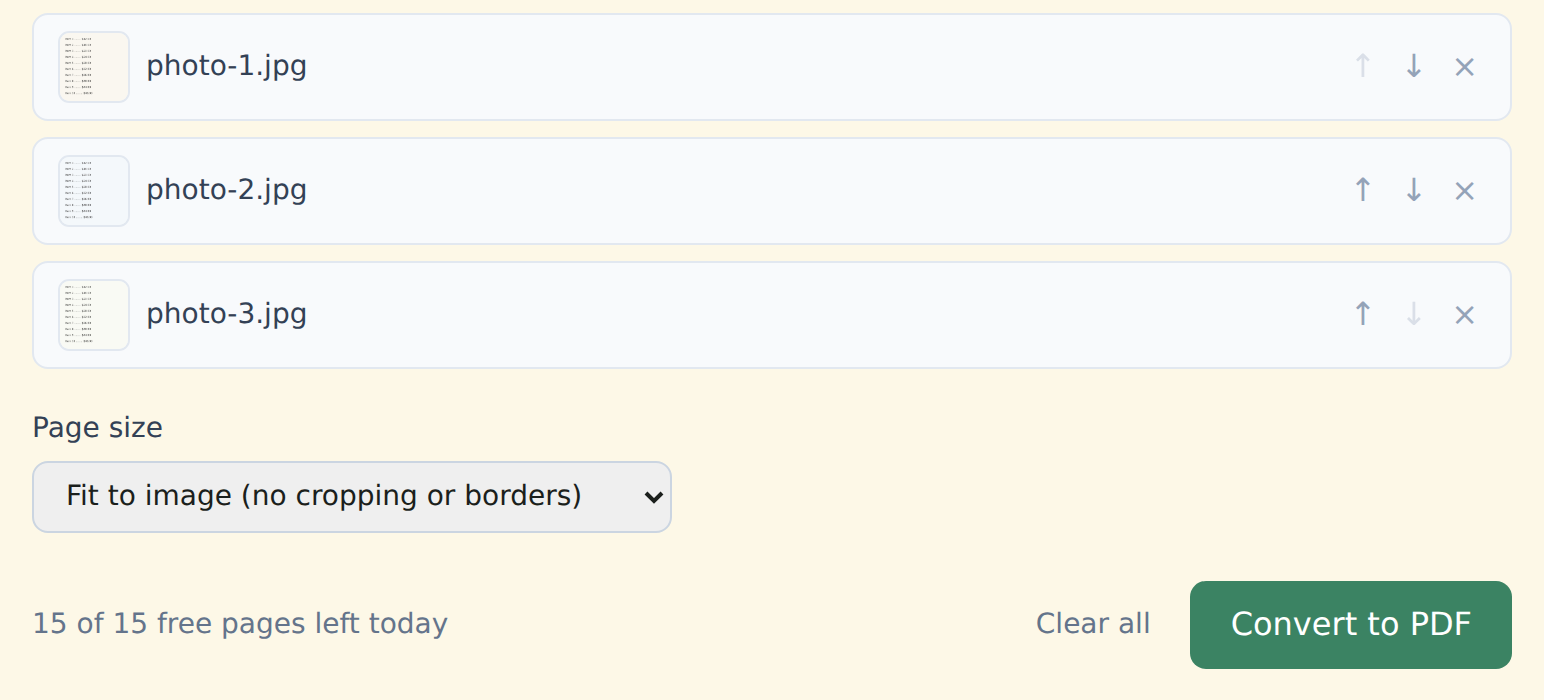
Put them in order with the ↑ ↓ arrows. Pages come out in that order.
Pick a page size: Fit to image keeps each page the size of its photo, no cropping or borders; A4 or US Letter centers it on a standard page.
Click "Convert to PDF" and download images.pdf — ready to attach, print or archive.
Upload your photos to a server, convert them there and send a file back.
Builds the PDF in your browser. Your images never leave your device — which matters for a photo of an ID or a signed page.
Good to know
- No watermark, free or Premium — just your images on PDF pages.
- Each image counts as one page toward the 15 free pages a day.
- Need the photographed text to be searchable? Run the result through OCR (Premium).
Who this is for
Anyone who took a photo of a document and needs it as a proper PDF — an expense report, a rental application, a signature page, or ten screenshots sent as one file.
Free and Premium
15 pages a day
- Every tool except OCR — merge, split, organize, compress, redact, sign, edit, page numbers, protect, convert (incl. PDF to Word and JPG), extract text
- No watermark, no account, no email
- Counted across all tools; the count resets every day
$9/month
- No page limit on any tool
- OCR: make scanned PDFs searchable, 39 languages
- Your signature saved on this device (never uploaded), and your signature or initials on every page in one click
- Number a whole set of files in one go — plain or Bates, with an index
- One-click form filling with your saved details — name, address, email
- Or $69/year · $149 once, for life
Free or Premium, the tools work the same way: your files never leave your device.