Open your PDF, create your signature, place it and download. The contract never leaves your device — and documents of any length are free to sign.
How to sign a PDF
Drop your PDF into the box above. It opens on the last page, where signatures usually go.
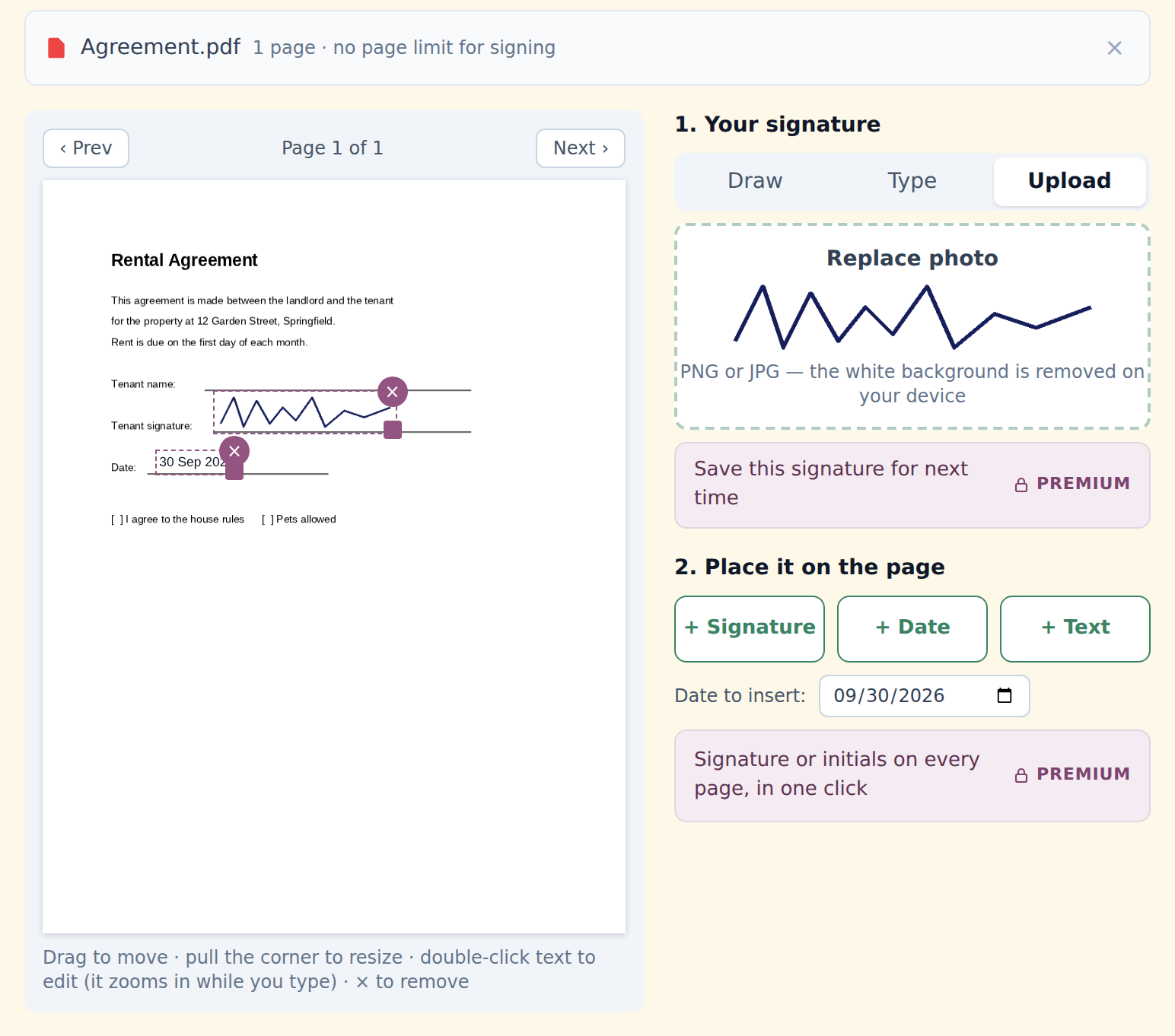
Create your signature — three ways:
• Draw it with a mouse, trackpad or finger
• Type your name in a handwriting-style font
• Upload a photo of your signature on paper — the white background is removed on your devicePlace it: click + Signature, drag it onto the line and pull the corner to resize. Add the date or any text (your name, a title) the same way.
Click "Sign PDF" and download. Everything else stays as it was — text, links and form fields included.
What you can add
- Your signature — drawn, typed or uploaded, on any page
- The date — today, or any date you choose
- Any text — your printed name, title, "Approved", a note
- Initials or signature on every page in one click — Premium
- A saved signature kept on this device, ready next time — Premium
Need to fill in a form or tick boxes too? Edit PDF adds text, ticks, dates and images, and fills in form fields.
Why sign without uploading
Contracts, offer letters and leases are full of names, addresses, salaries and ID numbers. Most online signing tools upload the whole document to their servers first.
StayPutPDF stamps your signature into the file inside your browser tab, so the document is never sent anywhere. Here's how to check that yourself.
Initials on every page
Long contracts are often marked on every page to show each one was read and none was swapped. English-language contracts usually use initials on each page and the full signature on the last; in Kazakhstan and Russia, a small copy of the full signature on each page is more common.
With Premium, StayPutPDF does either in one click, in the corner you choose, and skips pages you've already signed.
What kind of signature this is
StayPutPDF adds a simple electronic signature: an image of your signature placed on the page. Many countries accept this for everyday agreements — freelance contracts, NDAs, rental forms, internal approvals.
Some documents need more: a certified digital signature tied to your identity (in Kazakhstan, an ЭЦП via NCALayer; in the EU, a qualified electronic signature), a witness or a notary. StayPutPDF doesn't create those, and it doesn't send documents to other people for signature — you sign your own copy. If you're unsure what a document needs, ask whoever requested your signature; this isn't legal advice.
Free and Premium for signing
Any length documents
- Draw, type or upload a signature
- Signature, date and text on any page
- Only the pages you sign count toward 15 free pages a day
$9/month
- Your signature saved on this device — never uploaded
- Signature or initials on every page in one click
- Number a whole set of files in one go — plain or Bates, with an index
- One-click form filling with your saved details
- No daily limit on any tool · or $69/year · $149 once