Most online PDF tools upload your file to a server first. Privileged or work-product material shouldn't touch a server you haven't vetted — StayPutPDF works entirely in your browser: merge, redact and sign without your files leaving your machine.
Why the upload step is the problem
Sends your exhibit or discovery file to a third-party server. A third party now has a copy, even if only for an hour.
Your duty of confidentiality (ABA Model Rule 1.6) doesn't pause for a vendor's "we delete it after an hour" policy.
What lawyers do with StayPutPDF
- Merge exhibits into one bundle, production sets, multi-part filings — in the exact order you need.
- Redact names, account and ID numbers before filing. The text is removed from the file, not hidden under a box. Check the result before you share it. How redaction works
- Sign engagement letters and NDAs — draw, type or upload your signature, add the date. Signing guide
- Edit — fill in court forms, tick boxes, add text. White-out only covers a line, it doesn't delete it — to remove text, use Redact.
- OCR (Premium) — make scanned discovery searchable, then redact what the search finds.
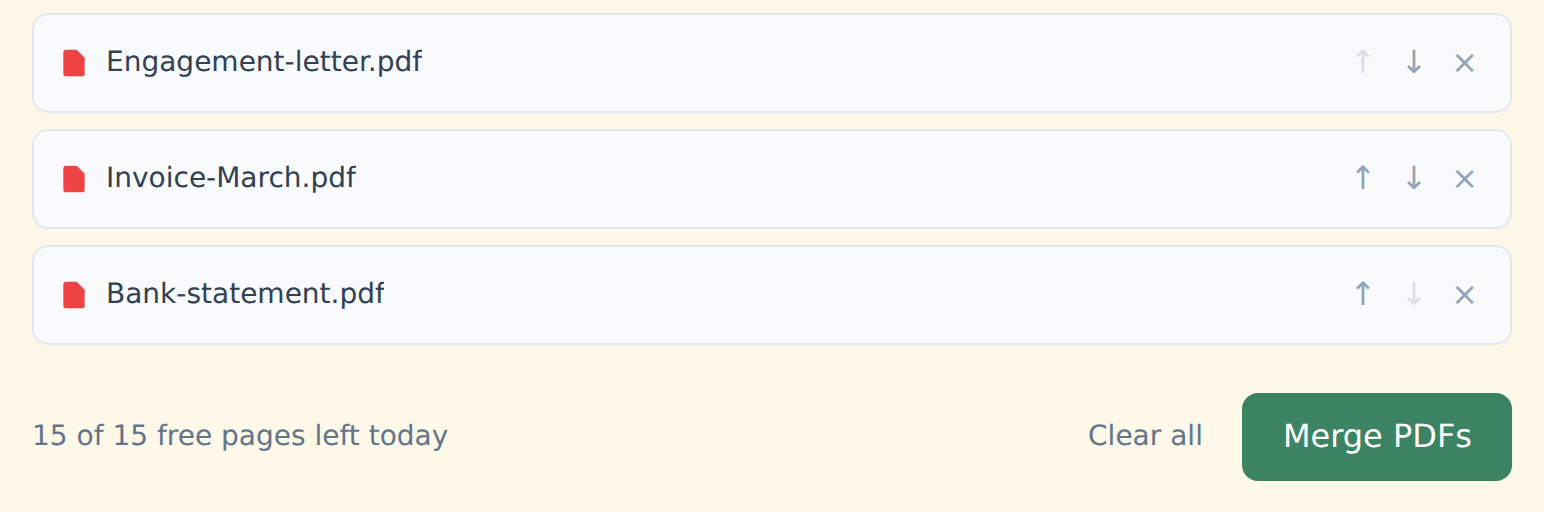
How to merge case files
Drop your PDFs into the box above — read straight from your device.
Order them with ↑ ↓ to match your exhibit numbering or production order.
Click "Merge PDFs" and download. No watermark, on any plan.
How it keeps files local
The tools run with open-source libraries inside your browser tab. Your browser reads the file from your disk, does the work in memory and hands you back the result.
There's no server call at any point — free or Premium — so there's nothing to subpoena, breach or log on a third party's infrastructure. It also works offline once the page has loaded. Check it yourself in a minute.
Free and Premium
15 pages a day
- Every tool except OCR — merge, split, organize, compress, redact, sign, edit, page numbers, protect, convert (incl. PDF to Word and JPG), extract text
- No watermark, no account, no email
- Counted across all tools; the count resets every day
$9/month
- No page limit on any tool
- OCR: make scanned PDFs searchable, 39 languages
- Your signature saved on this device (never uploaded), and your signature or initials on every page in one click
- Number a whole set of files in one go — plain or Bates, with an index
- One-click form filling with your saved details — name, address, email
- Or $69/year · $149 once, for life
Free or Premium, the tools work the same way: your files never leave your device.
Buying for your firm? Team plans start at $35 a month for up to 5 people — one license for the whole office. See team plans
This page describes how the tool works technically. It isn't legal advice on your confidentiality obligations or e-discovery protocols, which vary by jurisdiction and matter.